Confirming a contractor's license and insurance before hiring, and refusing to pay for work you have not seen, lowers the risk of a contractor scam. In Florida, warning signs include pressure to decide today, large payments before any work starts, and paperwork that leaves the scope vague. This guide lists nine warning signs and the safer steps that protect Florida homeowners, including how UGO PROS keeps your funds protected until you approve each phase or the final job.
This article is not legal advice. If you believe you have been the victim of fraud, contact local law enforcement, and talk with a licensed attorney about your options.
Key takeaways
- Confirm the contractor's Florida license on the Department of Business and Professional Regulation license lookup, and ask for proof of insurance, before you hire.
- A demand for a large payment before any work starts, or a request to pay cash or pay outside the UGO PROS app, is a warning sign.
- When you accept the final quote, the money moves from your account to ours, where it's kept safe. It's only released when the job is complete, or when a phase you both agreed on is complete. We hold your funds safely so you never get scammed again.
- A vague or blank contract, a door-to-door "today only" offer (especially after a storm), and a request that you pull the permit in your name are also warning signs.
- If a contractor stops work, UGO PROS does not release payment for any phase you have not approved.
What are the warning signs of a contractor scam?
The warning signs of a contractor scam in Florida include pressure to sign today, a large payment before any work starts, cash-only or off-platform payment requests, and a contractor who cannot show a matching license or proof of insurance. Watch for these nine signs before you hire or pay.
1. Pressure to sign today
A contractor says the price or the schedule is only good today. A legitimate contractor gives you time to compare quotes and read the paperwork.
2. A large payment before any work
A request for most of the money before materials arrive or work begins puts your money at risk if the contractor does not return. Florida Statute 489.126 also sets timing rules when a contractor takes more than 10% of the contract price as an initial payment. See our article on the Florida contractor deposit law.
3. Cash only, or payment outside the platform
A request for cash, a personal payment app, or payment outside the app on a UGO PROS project is a warning sign. On UGO PROS, do not send money outside the app, and contact the UGO PROS support team.
4. No license or insurance to show
The contractor cannot show a license number or proof of insurance, or the details do not match the state's records. That is a common path into unlicensed contractor complaints in Florida, which rose 36% in three years according to DBPR Unlicensed Activity Annual Reports.
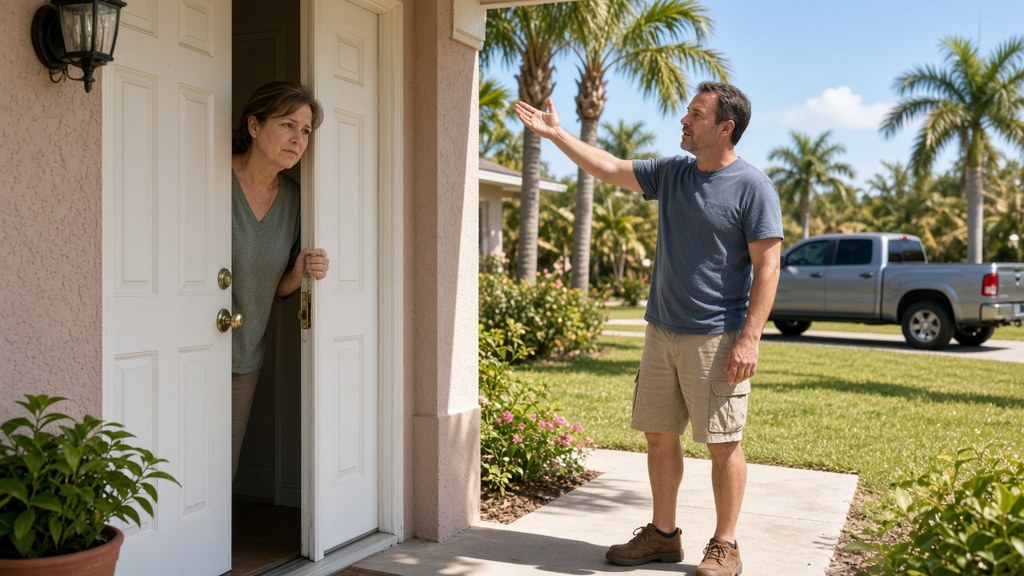
5. Door-to-door offers
A contractor knocks on your door with leftover materials or a "today only" deal, often after a storm. Jacksonville and Northeast Florida homeowners should treat those offers with extra care after hurricane damage. See our guide to hiring a contractor before and after a storm in Jacksonville and Northeast Florida.
6. A vague or blank contract
The paperwork lacks a clear scope, materials, phases, or price, or has blank spaces.
7. No physical address or a changing phone number
You cannot confirm where the business is based, or the contact details keep changing.
8. Surprise damage that only the contractor saw
A contractor inspects alone and comes back with photos of serious damage you did not notice. Ask for a second opinion.
9. Requests to pull permits in your name
A contractor asks you to apply for the permit yourself so they do not have to. Ask your building department who should apply. Permit timing is also one of the Florida contractor law issues to watch in 2026.
How do I avoid contractor scams, step by step?
You avoid contractor scams by slowing down, hiring a verified pro, checking the Florida license yourself, getting a clear final quote, and tying payment to work you have approved. Follow the steps below on every project.
Step 1: Download the free UGO PROS app
UGO PROS is free to download, and it is free to post your job. Download the free UGO PROS app at ugopros.com/join/Jaxnow.
Step 2: Slow down
Take time to compare at least two contractors, even when a repair feels urgent. If there is immediate danger, such as a gas smell or a fire, call 911 first.
Step 3: Hire a verified pro
Post your project on UGO PROS. UGO PROS confirms each contractor's insurance and any license Florida requires before the contractor can accept a project, and you see the contractor's verified insurance and license information before you hire. UGO PROS is live in every city in Florida, and most verified pros on the platform today are based in Jacksonville. For the full hiring sequence, see our complete 2026 guide to hiring a contractor in Florida.
Step 4: Check the license yourself
Search the Florida Department of Business and Professional Regulation license lookup by the contractor's name or license number.
Step 5: Get a clear final quote
On UGO PROS, verified pros send a pre-quote first. After you and the contractor agree on a price face to face, the contractor sends a final quote through the app. Make sure the quote lists the scope, the materials, and the phases. The same written-quote habit applies when you hire kitchen remodel contractors in Florida.
Step 6: Tie payment to approved work
When you accept the final quote, the money moves from your account to ours, where it's kept safe. It's only released when the job is complete, or when a phase you both agreed on is complete. We hold your funds safely so you never get scammed again. Payment for each phase is released only when you approve that phase or the final job.
Step 7: Keep every message in one place
On UGO PROS, every message, photo, and approval is timestamped and stored in the project record. A clear record helps both sides if a question comes up.
Step 8: Review each phase before you approve
The contractor posts photos and messages for each phase. Review them, ask for adjustments if needed, and approve once the work matches the final quote.
- Pressure to sign today. Safer step: Compare at least two quotes.
- Large payment up front. Safer step: Use UGO PROS, where your money is kept safe, and pay only when a phase you both agreed on is complete.
- Cash only or pay outside the app. Safer step: Stop, and contact UGO PROS support.
- No license or insurance. Safer step: Hire a verified pro and check the state license lookup.
- Vague paperwork. Safer step: Get a clear final quote with phases.
UGO PROS is a two-sided home services marketplace that connects homeowners with verified pros, the contractors who have passed UGO PROS verification. The company currently operates throughout Florida. Quotes, messages, photos, and approvals all live in the same project record so both sides can follow the work. UGO PROS verifies each contractor's insurance and any license Florida requires before the contractor can accept a project, and it keeps a timestamped record of the messages, photos, and approvals on every project. The UGO PROS app was rebuilt and relaunched in 2026. It is free to download, free to post your job, and free to bid.
What happens if a contractor stops work or a dispute starts?
If a contractor stops work before the job is finished, UGO PROS does not release payment for any phase you have not approved. You can flag the issue within the platform. A dispute on UGO PROS moves through these steps.
- Flag: The homeowner or the contractor flags the issue inside the platform.
- Payment: While the issue is open, the payment for the disputed phase stays with UGO PROS, where it's kept safe. UGO PROS does not release it until the homeowner approves the work or both parties sign a mediation agreement.
- Talk: UGO PROS encourages the homeowner and the contractor to resolve the issue directly through in-app messages.
- Mediate: If they do not reach agreement, either party can request mediation.
- Share the record: The full project record, including messages, photos, and approvals, can be downloaded and given to the mediator.
- Outcome: If both parties sign a mediation agreement, UGO PROS follows its terms for the money it is keeping safe.
What does UGO PROS cost a homeowner?
You pay nothing to download the free UGO PROS app, post your home repair project with photos, or compare written pre-quotes from verified pros in Jacksonville and across Northeast Florida. In-app messaging, progress photo logs, and written change-order approvals also cost nothing extra.
Bidding is free. UGO PROS only takes a tiny fee when the job is funded.
Before you accept a final quote, review it line by line against your agreed scope so DBPR license numbers, permit responsibility, cleanup, and phase payouts are all written down clearly. If an issue comes up during the work, flag it inside the app while the disputed phase remains protected rather than paying off-platform.
Keep a copy of the accepted quote, the license details, and job photos in the project record so a later cleanup or scope dispute is easy to review.
Common mistakes when trying to avoid contractor scams in Florida
These mistakes show up again and again in contractor scams, and each one makes it harder to protect your money or prove what was agreed.
- Saying yes under "today only" pressure. If you skip comparing at least two quotes, you also skip time to read the paperwork. A legitimate contractor gives you time to compare. The safer step is to slow down, even when a repair feels urgent, unless there is immediate danger that requires a call to 911.
- Paying most of the money before materials arrive or work begins. That payment is already gone if the contractor does not return. Paying through UGO PROS, and releasing payment only after you approve each phase, keeps the money tied to work you have seen.
- Paying cash or sending money outside the UGO PROS app. Money paid outside the app does not move to UGO PROS, so it is not released by your approval of the work. If someone asks you to pay that way on a UGO PROS project, do not send the money, and contact UGO PROS support at support@ugopros.com, at 877-733-2425, or through in-app chat.
- Skipping the license lookup, or hiring a contractor who cannot show insurance. If the license number is missing, or the name does not match the state's records, you cannot confirm the contractor is allowed to do the work. Check the Florida Department of Business and Professional Regulation license lookup yourself, even when a profile already shows a verification badge.
- Signing a contract with blank spaces or no clear scope, materials, phases, or price. Vague paperwork leaves you with no standard to judge the work before you pay. Ask for a final quote that lists the scope, the materials, and the phases, and do not sign blanks.
- Applying for the permit in your name because the contractor asked you to. That request can hide who is responsible for the work. Ask your building department who should apply, and treat a contractor who wants you to pull the permit as a warning sign.
Frequently Asked Questions
How do I avoid contractor scams?
Confirming a contractor's license and insurance before hiring, and refusing to pay for work you have not seen, lowers the risk of a contractor scam. UGO PROS builds both steps into every project. UGO PROS confirms each contractor's insurance and any license Florida requires before the contractor can accept a project, and payment for each phase is released only after you approve that phase.
How do I check if a contractor is licensed in Florida?
Search the Florida Department of Business and Professional Regulation license lookup by the contractor's name or license number, and confirm that the details match. On UGO PROS, every verified pro has passed insurance checks, plus a license check where Florida requires one.
What happens if a contractor does not finish the job?
On UGO PROS, payment for a phase is released only after the homeowner approves that phase, so a contractor is not paid for work the homeowner has not approved. The homeowner can flag the issue within the platform, and UGO PROS first encourages both sides to resolve it directly. If the homeowner and contractor cannot agree, the next step is mediation, and the project data in the app can be downloaded and given to the mediator.
What should I do if someone asks me to pay outside the UGO PROS app?
Do not send money, and do not share passwords. Contact the UGO PROS support team by email at support@ugopros.com, by phone at 877-733-2425, or through in-app chat.
Protect your home and your money
To avoid contractor scams in Florida, slow down and compare at least two quotes, confirm the license on the Department of Business and Professional Regulation lookup, and refuse to pay for work you have not seen. Treat a large payment before any work starts, a cash-only or off-platform request, a vague or blank contract, and a door-to-door "today only" offer as warning signs, especially after a storm in Jacksonville and Northeast Florida.
If a contractor stops work, payment is not released for any phase you have not approved. Download the free UGO PROS app, then post your job for free and compare pre-quotes from verified pros: ugopros.com/join/Jaxnow.
Restoring trust. Protecting both parties.
About the author
Written by Jason Jones, Founder of UGO PROS.
Published November 18, 2026. Last updated November 20, 2026.
Jason Jones is the founder of UGO PROS, a Florida home services marketplace that connects homeowners with verified local contractors.
Disclosure: I am the founder of UGO PROS, the Florida home services marketplace described in this article.